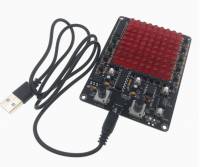
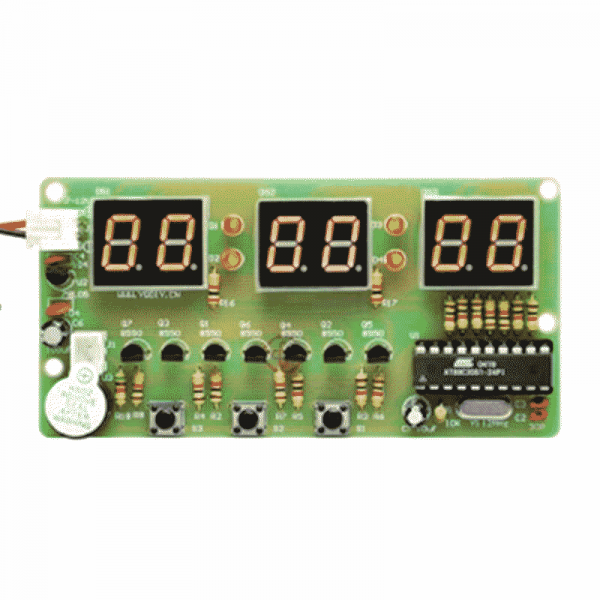
DIY clock / alarm clock with simple operation: S1, S2 and S3 buttons for quick function changes and settings
Overview:
- Model: SFT-CK302
- Functions:
- Alarm clock
- Stopwatch
- Countdown
- Counter
- Chip: AT89C2051
-
Supply voltage: DC 6V ~ 12V, via screw terminal
- Operating current: 35 mA
- Display: 0.4 in red 6bit
- Operating temperature: -40 ~ 85 °C
- Size: approx. 105 x 55 x 13 mm
1. Key description
- S1: Function button (for switching between functions)
- S2: Set button (for changing values or options)
- S3: Increase button (for increasing values)
2. Setting mode
- Press S1 briefly to switch between the main functions.
- Press and hold S1 for longer than 2 seconds to return to the normal display.
3. Clock function
- After switching on, the time 10:10:00 is displayed.
4. Setting the time (calibration)
- Press S1 once briefly, the display starts to flash.
- Press S2 to set the hour.
- Press S3 to set the minute.
- The seconds cannot be set.
- Press S1 to exit the settings and return to the normal display.
5. Alarm clock function
- Press S1 twice in succession to switch to alarm clock mode.
- The display shows the alarm time, e.g. 22:10:00, and the colons flash.
- Press S2 to set the alarm hour.
- Press S3 to set the alarm minute.
- Seconds cannot be set.
- If you set the hour to 24 or higher, the alarm clock is switched off (display: -:-:-).
- The alarm tone (buzzer) sounds for approx. 3 seconds.
6. Countdown function
- Press S1 three times in succession to call up the countdown mode.
- The screen shows 0, the remaining digits are off.
- Press S2 to move the adjustable digit from right to left (up to 6 digits).
- Press S3 to increase the value of the selected digit by 1 (from 0 to 9).
- After the sixth press of S2, the countdown starts automatically.
- To stop the countdown, press S2 again while the countdown is running.
7. Stopwatch function
- Press S1 four times in succession to start the stopwatch.
- The screen displays 00:00:00.
- Press S2 to start the stopwatch.
- Press S2 again to stop the stopwatch.
- Press S3 to reset the counter to 00:00:00.
8. Counter function
- Press S1 five times in succession to enter counter mode.
- The screen displays 00:00:00.
- Press S2 to increase the counter by 1.
- Press S3 to reset the counter to 00:00:00.
9. Output for buzzer (CJ02)
- The CJ02 pins are the connections for the external buzzer.
10. Output signal (CJ03)
- The CJ03 pins are the output connection.
- When the buzzer is switched off, a low level is present.
- A high level is present when the buzzer is switched on.
Scope of delivery:
1x soldering exercise - Digital clock / alarm clock 6 bit (SFT-CK302)